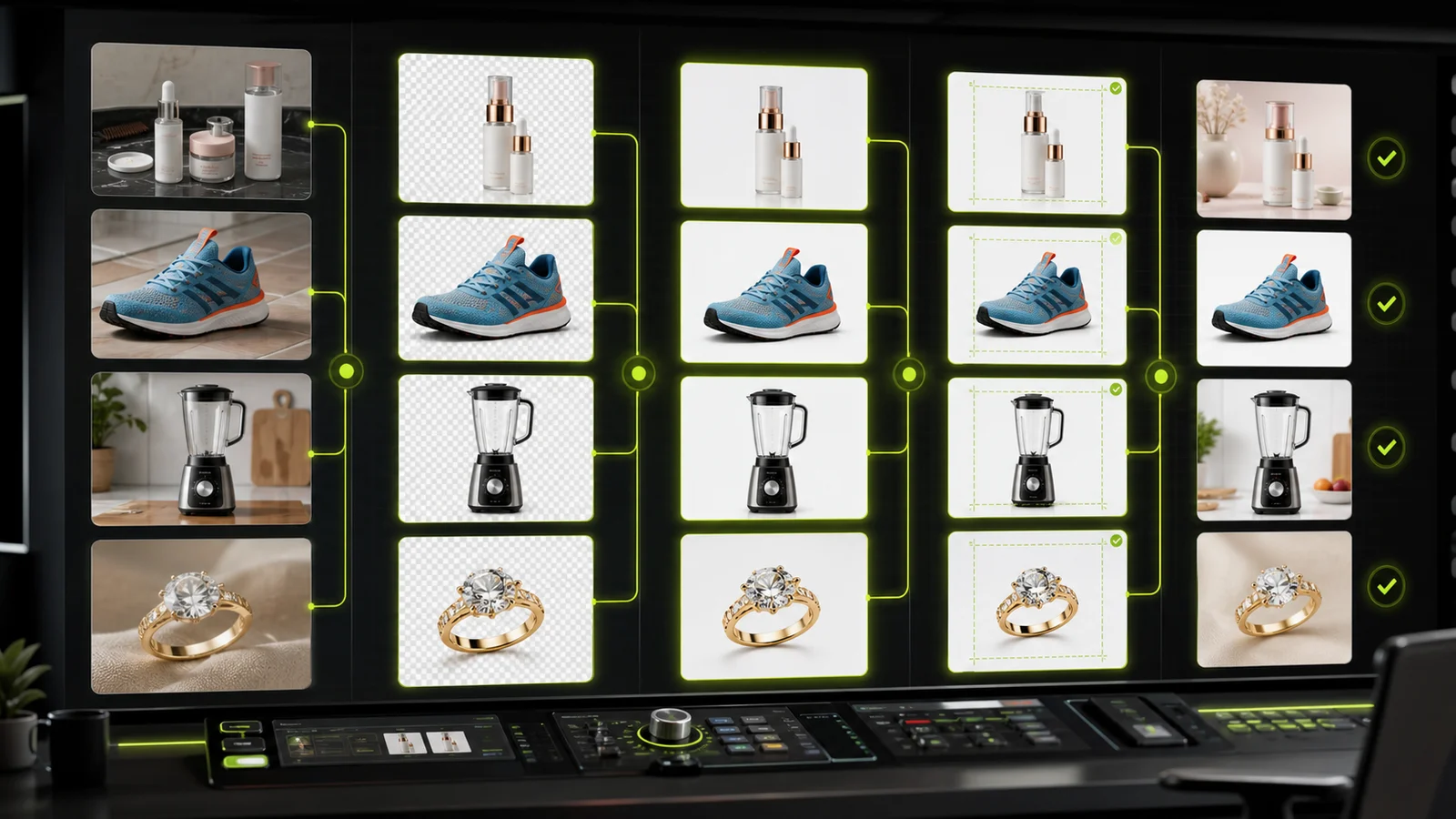
Compare AI image processing platforms for cleaning, enhancing, standardizing, and checking ecommerce product visuals.
Image-heavy work gets complicated fast, but AI image processing platforms can help teams clean up, improve, standardize, and create product visuals with less manual work.
In this guide, we'll compare the best AI image tools for businesses, including what each tool is best for, where it falls short, how pricing works, and how to choose the right platform for your workflow.
What AI Image Processing Actually Means
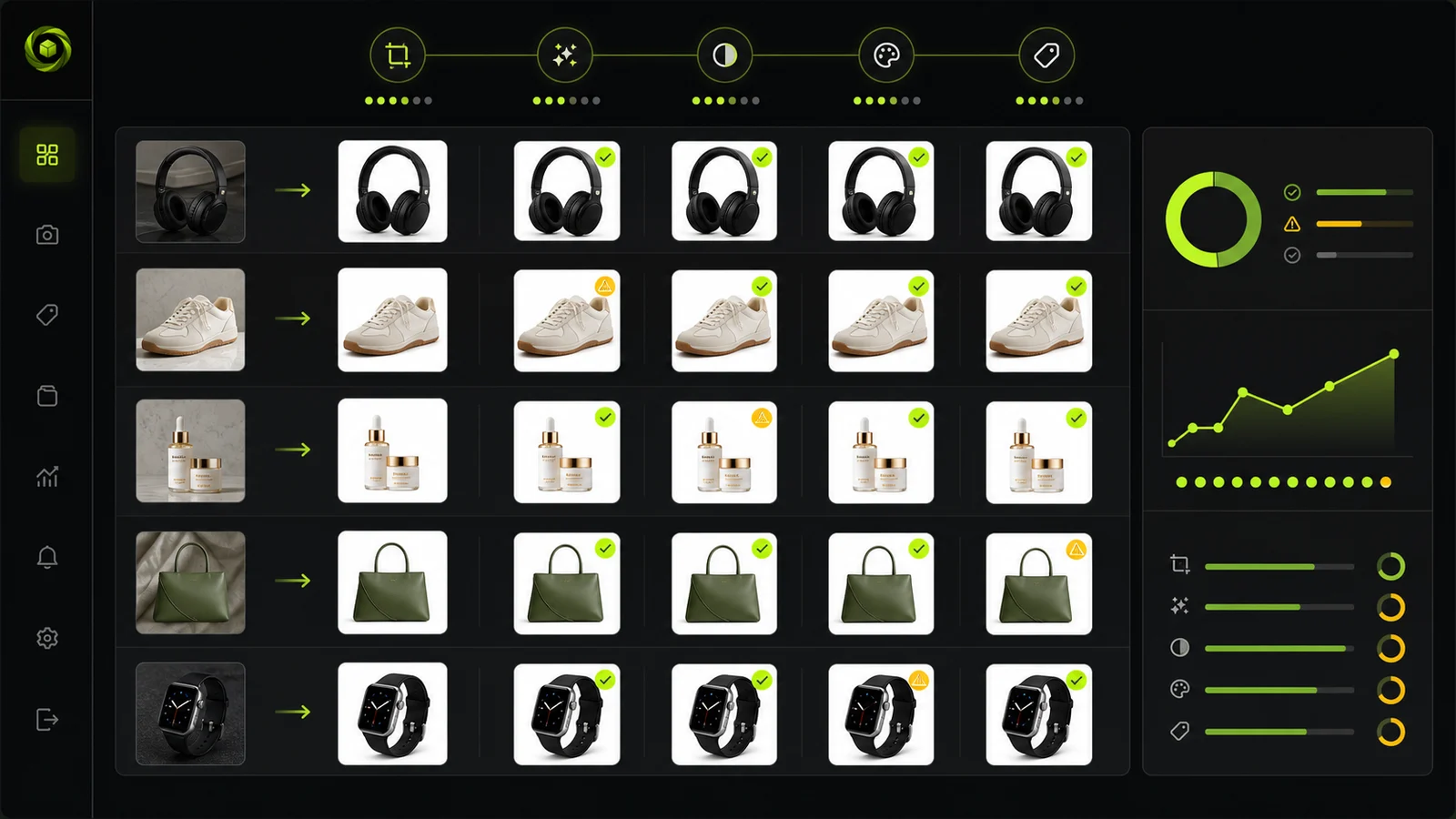
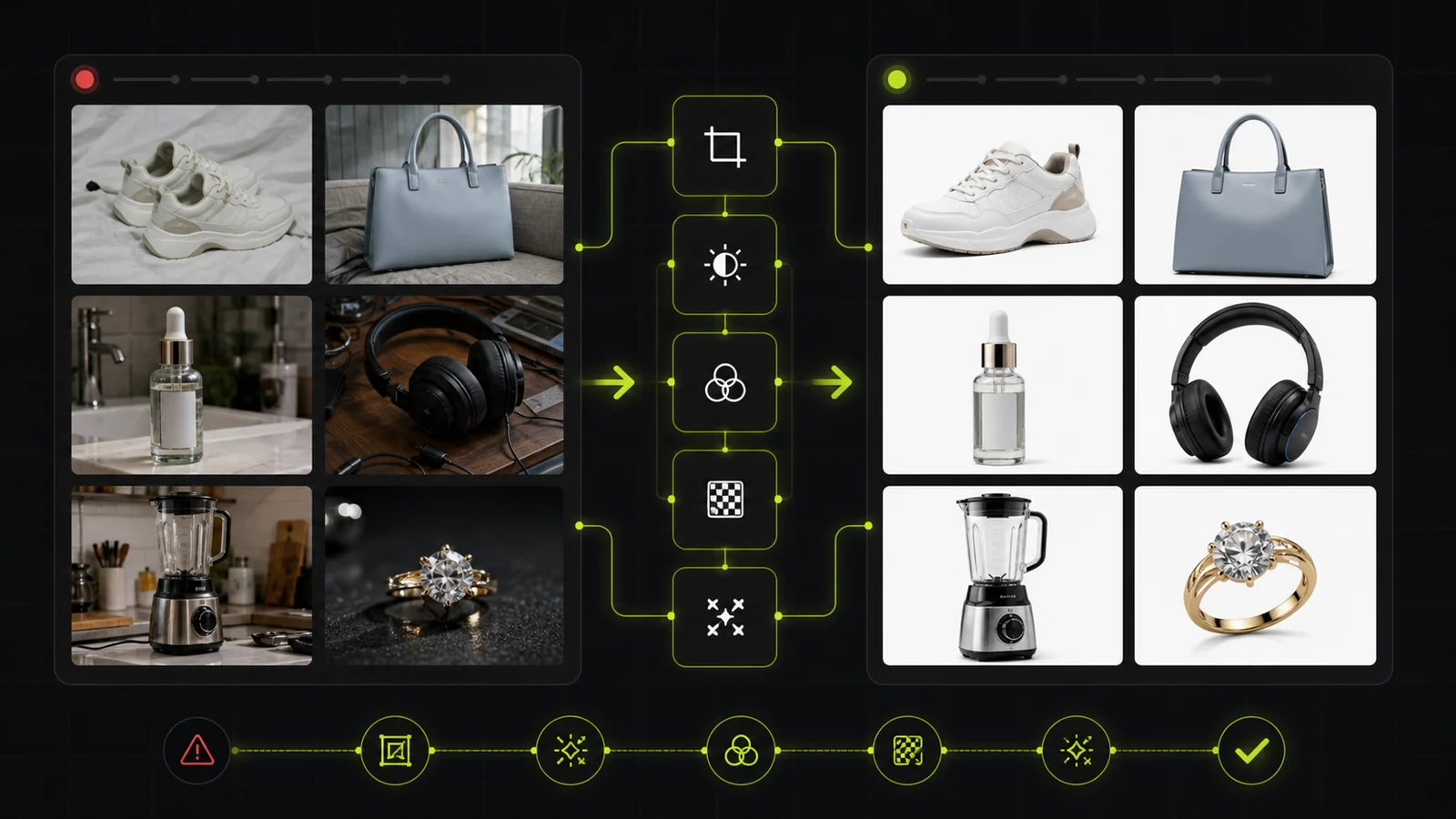
AI image processing is an umbrella term for several different operations.
In technical contexts, it can revolve around image intelligence: detecting what's in an image, checking image quality, reading text with OCR, flagging policy issues, or deciding which processing step an image needs next.
For product photo needs, image processing usually means a set of editing features that turn inconsistent source files into usable business assets: cleaner catalog photos, marketplace-ready listings, ad creatives, PDP images, or API-ready outputs.
Image processing tools usually solve two kinds of problems.
- Input control: Platforms and marketplaces need to process seller-uploaded images before they reach the catalog, because every merchant uploads photos with different lighting, backgrounds, crops, quality, and compliance issues.
- Content production: Ecommerce teams need to create better product visuals from their own images, faster and at lower cost, as SKU counts grow and every channel demands more assets.
Typical operations enabled by AI image processing platforms include:
| Operation | What it does | Common trigger |
|---|---|---|
| Enhancement | Upscales resolution, improves sharpness, fixes lighting, corrects color, reduces noise | Low-resolution supplier photos, blurry catalog images, poor lighting |
| Editing and standardization | Cleans up the image and makes images consistent across a catalog | Marketplace listings, multi-vendor catalogs, large SKU counts |
| Generation | Creates new visual context, such as lifestyle scenes, AI backgrounds, or on-model photography | Campaign assets, ads, PDP variety, seasonal visuals |
| Automation | Runs the above steps in bulk through an API, batch flow, or custom workflow | High-volume catalogs, seller onboarding, recurring product image jobs |
You may not need every step at once. The right platform is the one that covers the specific image operations your catalog, marketplace, or content workflow depends on.
Quick Comparison: Best AI Image Processing Platforms
Before we look at each platform in detail, here's a quick overview of where the main tools fit.
| Platform | Best for | Strengths | Limitations |
|---|---|---|---|
| ProductShot AI | Full product image processing workflows for ecommerce | Covers cleanup, enhancement, standardization, generation, and automation with product-preservation controls | Web-only; some modules still rolling out |
| Photoroom | Fast product cleanup and mobile-first ecommerce editing | Strong background removal, easy templates, broad brand recognition | Enhancement and enterprise workflow depth are more limited |
| Nightjar | Style-consistent AI product photography for ecommerce catalogs | Strong catalog consistency, reusable styles, product preservation | More generation-focused than full image processing |
| Pixelcut | Mobile-first editing for small sellers | Affordable, simple, good for social sellers and SMBs | Less suited to API-first catalog automation |
| remove.bg | Single-purpose background removal | Fast and reliable for background removal | Does not handle the wider product image pipeline |
| Pebblely | Quick lifestyle backgrounds for small product catalogs | Easy scene generation, good for non-designers | Narrower workflow, mostly background-focused |
| Bria | Structured AI image generation and editing | Product cutouts, pack shots, lifestyle scenes, studio consistency | Less focused on marketplace ingestion or full processing workflows |
| Wizstudio | B2B catalog and wholesale product imagery | Strong B2B catalog angle, useful for wholesale and merchandising teams | More niche than broader ecommerce tools |
Now, let's explore each AI image tool in more detail.
1. ProductShot AI — Best for Full Product Image Processing Workflows
ProductShot AI is an AI image processing platform built for ecommerce teams that need to turn one product photo into multiple marketplace-ready assets. Its core principle is lock the product, then generate the scene — preserving logo, shape, labels, packaging, color, and material while rebuilding the environment around it.
What It Offers
ProductShot AI covers a broad part of the image processing pipeline: background removal, image enhancement, upscaling, lighting correction, product photo generation, and lifestyle scene creation — all within a single platform. This makes it a strong fit for teams that need one system to handle multiple image operations instead of stitching together several narrow tools.
The platform goes beyond basic editing with its Product Lock feature, which preserves product identity across every output. Quick scene templates — Ecommerce White BG, Premium Display, Lifestyle Real, Social Neon, Natural Outdoor — let teams generate channel-specific assets without writing prompts. A unique lens-language system offers camera presets like Standard 50mm, Close-up 85mm, Macro 100mm, Documentary 35mm, Wide 24mm, Bokeh, and Fisheye, turning abstract composition into predictable, repeatable choices.
ProductShot AI maps the same source image into multiple commerce workflows: DTC Shopify, Amazon/marketplace, campaign launch, and social marketing. It also offers reusable image history for seasonal campaigns and A/B testing, plus before/after comparison to verify output quality.
Best For
- Ecommerce teams processing large catalogs who need marketplace-compliant images with the product kept intact
- DTC brands running product launch campaigns that need multiple scene variations from one upload
- Agencies and teams that want consistent brand imagery across white-background, studio, lifestyle, and social formats
Pricing
ProductShot AI uses credit-based pricing:
- Annual Starter: $9.9/month for 800 credits
- Annual Premium: $19.9/month for 2,000 credits
- Annual Advanced: $49.9/month for 6,000 credits
- One-time packs available for flexible usage
- Paid tiers include commercial usage, HD export, and priority support
Where It Lacks
ProductShot AI is currently web-only with no mobile app. Some modules in the tools index still show "Soon," including batch processing and certain product-photo variants, so teams needing large-scale API automation should confirm feature availability.
2. Photoroom — Best for Fast Product Cleanup and Mobile-First Editing
Photoroom is one of the best-known AI product photo tools, especially for background removal and fast ecommerce editing. It is widely used by sellers, small businesses, and teams that need clean product visuals without a complex production workflow.
What It Offers
Its biggest strength is speed and accessibility. Photoroom makes it easy to remove backgrounds, create simple product images, apply templates, and produce marketplace-ready visuals quickly. It is especially strong for users who want a polished result with minimal setup.
Photoroom is also a strong fit for mobile-first workflows. Sellers can take a product photo, clean it up, and prepare it for a listing or social post without involving a designer or developer.
For larger teams, Photoroom can support batch workflows and API use cases. It is a credible option when the main need is fast cleanup, background removal, and product image creation at scale.
Best For
- Resellers and marketplace sellers with large catalogs
- Growing ecommerce teams that need one-click editing plus batch throughput
- Small businesses and social sellers who want mobile-first simplicity
Pricing
Photoroom offers self-serve plans:
- Free: limited AI tools, 250 exports/month
- Pro: from $7.50/month (annual)
- Higher tiers with better AI models and increased batch exports
- API pricing depends on call type (background removal ~$0.02/image, image editing ~$0.10/image)
Where It Lacks
The main limitation is workflow depth. Photoroom covers many ecommerce image needs, but it is not always the strongest fit when the workflow includes several connected operations: enhancement, marketplace formatting, image generation, product fidelity, API automation, custom rules, and enterprise support.
3. Nightjar — Best for Style-Consistent AI Product Photography
Nightjar is a strong fit for ecommerce teams that want product images to look consistent across a catalog. Its positioning centers on reusable styles, catalog-wide visual consistency, and product preservation.
What It Offers
Nightjar is useful when the main problem is visual drift. Instead of generating every image from scratch with a new prompt, teams can use repeatable styles or visual systems to keep product photography aligned.
Nightjar is especially relevant for Shopify businesses that need consistent product photography across a growing catalog. You can save a visual look — including camera feel, lighting direction, shadows, color grading, and mood — then apply it across multiple products.
Best For
- Shopify brands that need visual consistency across a growing catalog
- Teams that want reusable style presets instead of prompt-by-prompt generation
- Ecommerce businesses focused on catalog cohesion over individual image creativity
Pricing
Nightjar's pricing is credit-based, but the company doesn't publicly disclose specific costs.
Where It Lacks
Nightjar is more tightly focused on AI product photography and catalog consistency than on being a broad enterprise image processing layer. Teams needing enhancement, upscaling, or marketplace-specific formatting may need additional tools.
4. Pixelcut — Best for Small Sellers and Social Commerce Visuals
Pixelcut is a mobile-first AI photo editor built mainly for small sellers, creators, and ecommerce teams that need quick product visuals. It is easy to use, affordable, and well-suited for lightweight product image editing.
What It Offers
Pixelcut's core strengths are simplicity and accessibility. Users can remove backgrounds, improve product images, create simple promotional visuals, and prepare images for online stores or social channels. It works well for teams that do not need a developer, API integration, or complex image processing rules.
For small businesses, Pixelcut can be a practical way to improve product photography without hiring a designer or setting up a studio.
Best For
- Small sellers and creators who need quick product visuals
- Social commerce teams preparing images for Instagram, TikTok, or Etsy
- Mobile-first users who want an easy, affordable editing tool
Pricing
- Free: $0/month
- Paid web plan: $10/month (600 AI credits, unlimited background removal/upscale)
- Higher web plan: $30/month (3,600 AI credits)
- API: $0.01 per credit, with monthly packages from 10,000 to 1M credits
Where It Lacks
The limitation is scale and workflow complexity. Pixelcut is better for hands-on editing than backend automation. If a marketplace needs to process thousands of seller images automatically, or if a catalog team needs strict rules around margins, resolution, backgrounds, and exports, Pixelcut may not be enough.
5. remove.bg — Best for Single-Purpose Background Removal
remove.bg is a focused tool for one specific job: removing image backgrounds. It is fast, reliable, and widely recognized for this single-purpose use case.
What It Offers
Its biggest strength is clarity. If your team needs to remove backgrounds from product photos, profile images, or listing visuals, remove.bg does that job well. It can be useful as part of a larger workflow where background removal is only one step and other tools handle the rest.
For ecommerce sellers, remove.bg is helpful when product photos have distracting backgrounds and need to be placed on white, transparent, or branded backgrounds. For developers, its API can be used to add background removal into an existing workflow.
Best For
- Teams that already have other tools for enhancement and generation, and only need a reliable background remover
- Developers who want a simple API to add background removal to existing pipelines
- Sellers who need fast, no-fuss background cleanup
Pricing
remove.bg uses a credit-based model. Pricing depends on image resolution and volume. Enterprise and API plans are available for high-volume use.
Where It Lacks
remove.bg does not handle enhancement, upscaling, scene generation, lighting correction, or any other part of the product image pipeline. It is a single-purpose tool, not a full image processing platform.
6. Pebblely — Best for Quick Lifestyle Backgrounds
Pebblely focuses on one specific task: generating lifestyle backgrounds for product photos. It is fast, easy to use, and aimed at solo founders, Etsy sellers, and small brands that want polished product images without a steep learning curve.
What It Offers
Upload a product photo, pick from 100+ templates or describe a custom scene, and get a lifestyle product image in seconds. Pebblely also offers automatic text extraction and preservation — labels and packaging text stay readable in the generated output.
Built-in aspect presets for Instagram, TikTok, website banners, and Facebook ads make it easy to export platform-ready images.
Best For
- Solo founders and Etsy sellers who want fast, affordable lifestyle product images
- Beauty, food, and beverage brands where label fidelity matters
- Non-designers who want polished results without a complex workflow
Pricing
- Lite: $9/month for 30 images
- Basic: $19/month for 200 images
- Pro: $39/month for 500 images
- Annual plans offer additional savings
Where It Lacks
Pebblely is mostly background-focused and does not cover enhancement, upscaling, standardization, or marketplace formatting. It is a scene generator, not a full image processing platform.
7. Bria — Best for Structured AI Image Generation and Editing
Bria offers structured AI image generation with a focus on product cutouts, pack shots, lifestyle scenes, and studio consistency. It is designed for teams that need more control over the generation process than one-click tools typically provide.
What It Offers
Bria's strength lies in structured generation: teams can control specific aspects of the output — composition, lighting, product placement — rather than relying solely on text prompts. This makes it useful for brands that need studio-quality product images with consistent visual language.
Best For
- Brands that need studio-quality pack shots and lifestyle scenes
- Teams that want structured control over AI generation rather than prompt-only workflows
- Ecommerce businesses focused on visual consistency across product lines
Pricing
Bria offers custom pricing based on usage volume and integration requirements.
Where It Lacks
Bria is less focused on marketplace ingestion, seller onboarding, or full processing workflows. Teams that need enhancement, upscaling, or API-driven automation may need additional tools.
8. Wizstudio — Best for B2B Catalog and Wholesale Product Imagery
Wizstudio targets a specific niche: B2B catalog and wholesale product imagery. It is designed for merchandising teams and wholesale operations that need consistent product visuals for catalogs, line sheets, and wholesale platforms.
What It Offers
Wizstudio's strength is its B2B catalog angle. It understands the specific needs of wholesale and merchandising teams: consistent product imagery across large catalogs, clean pack shots for line sheets, and visuals that work for wholesale buyers rather than end consumers.
Best For
- Wholesale and merchandising teams that need consistent catalog imagery
- B2B businesses preparing line sheets and wholesale platforms
- Teams that need product visuals optimized for wholesale buyers
Pricing
Wizstudio's pricing is not publicly disclosed.
Where It Lacks
Wizstudio is more niche than broader ecommerce tools. Teams that need marketplace-specific formatting, social media assets, or consumer-facing campaign visuals may find it too specialized.
How to Choose the Right AI Image Processing Platform
A few practical lenses to filter tools through:
1. What Problem Are You Solving?
- Cleaning up messy seller uploads at scale? You need enhancement, standardization, and API automation. ProductShot AI and Photoroom are the strongest fits.
- Creating better product visuals from your own images? You need generation, enhancement, and channel-specific outputs. ProductShot AI, Nightjar, and Bria all cover this.
- Fast, simple edits for a small catalog? Photoroom, Pixelcut, and Pebblely work well for lightweight needs.
- Single-purpose background removal? remove.bg is the most focused option.
2. How Many SKUs Are You Processing?
- Under 100 SKUs. Photoroom, Pixelcut, Pebblely, or ProductShot AI in the browser will be fine.
- Hundreds to thousands of SKUs. Look for APIs, batch processing, and workflow builders. ProductShot AI's credit-based system and Photoroom's batch mode are built for this scale.
- Tens of thousands or more. You need enterprise API, custom workflows, and SLAs. ProductShot AI's web workflow and Photoroom's enterprise plans support this level.
3. Do You Need Product Preservation?
If your products have specific logos, labels, packaging text, or color accuracy requirements, prioritize tools with explicit product-preservation features. ProductShot AI's Product Lock is the strongest answer to this concern, preserving logo, shape, labels, packaging, color, and material across every output.
4. What's Your Output Format?
- White-background catalog shots. ProductShot AI (Ecommerce White BG template) and Photoroom excel here.
- Lifestyle scenes. ProductShot AI (Lifestyle Real), Pebblely (100+ templates), and Nightjar (reusable styles) are strong options.
- Studio-quality pack shots. ProductShot AI (Premium Display) and Bria offer the most control.
- Social/ad creatives. ProductShot AI (Social Neon) and Pixelcut cover this well.
5. Do You Need API or Automation?
If image processing is a one-off task, browser-based tools are enough. If it's a recurring workflow — seller onboarding, catalog refresh, marketplace compliance — you need API access and batch processing. ProductShot AI's web workflow and Photoroom's API are designed for this.
AI Image Processing vs. Image Infrastructure: What's the Difference?
It's worth separating AI processing tools from image infrastructure platforms.
Tools like Cloudinary and Imgix solve a different problem: image delivery, optimization, resizing, compression, format conversion, and transformations at CDN scale. They help you serve images faster and adapt assets to different devices or layouts, but they are not dedicated AI product image processing platforms for enhancement, background generation, on-model photography, or catalog-quality improvement.
For many enterprise teams, the right setup is Cloudinary or Imgix alongside a tool like ProductShot AI: ProductShot AI handles the AI processing layer, while the infrastructure platform handles storage, transformation, and delivery.