Compare AI visual tools for ecommerce product photos, marketplace listings, lifestyle scenes, model images, ads, and video workflows.
If you sell products online, creating high-quality visuals across every channel — catalog shots, marketplace listings, lifestyle scenes, social ads, and shoppable videos — is no longer optional. But traditional product photography is expensive, slow, and hard to scale.
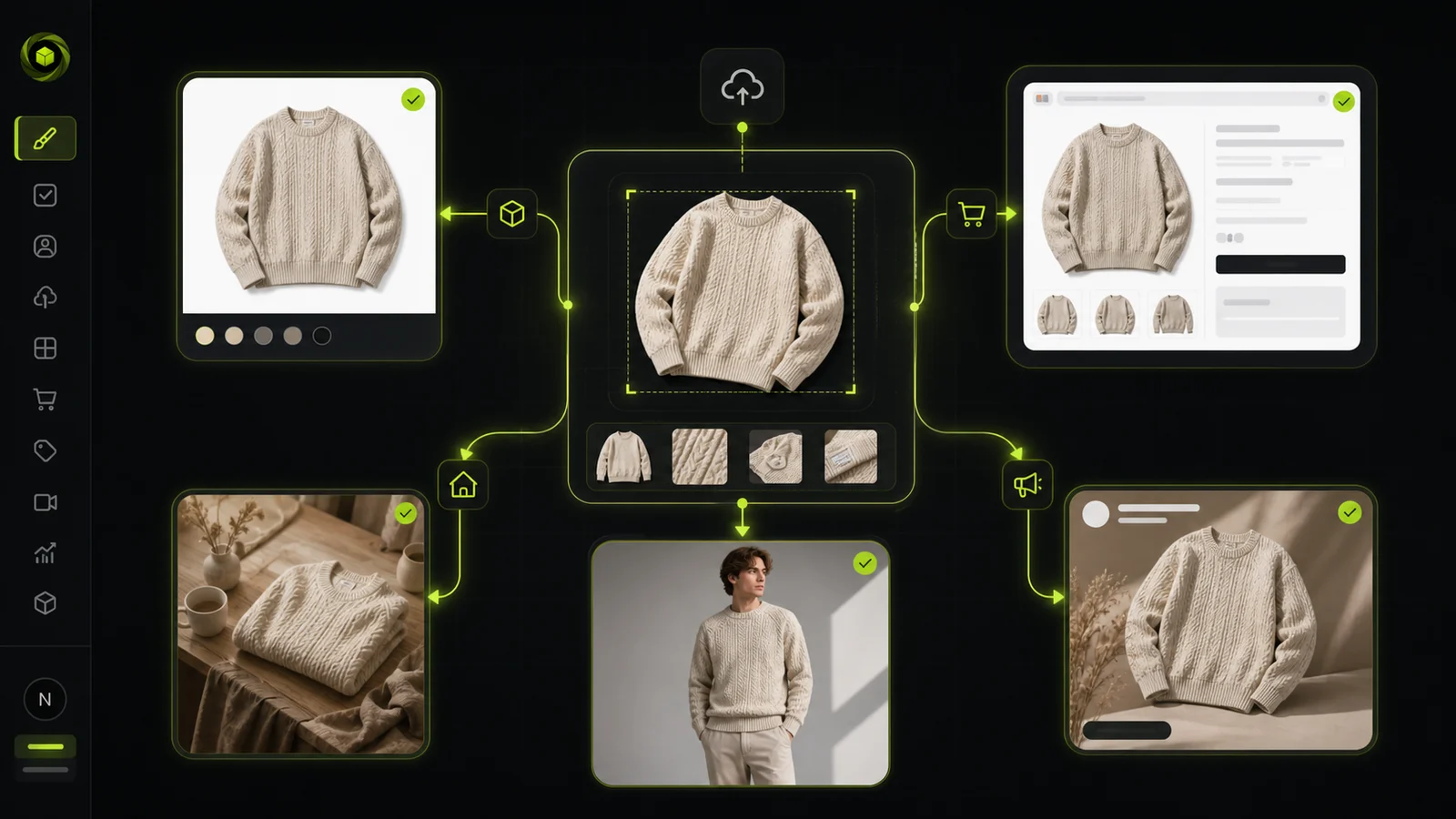
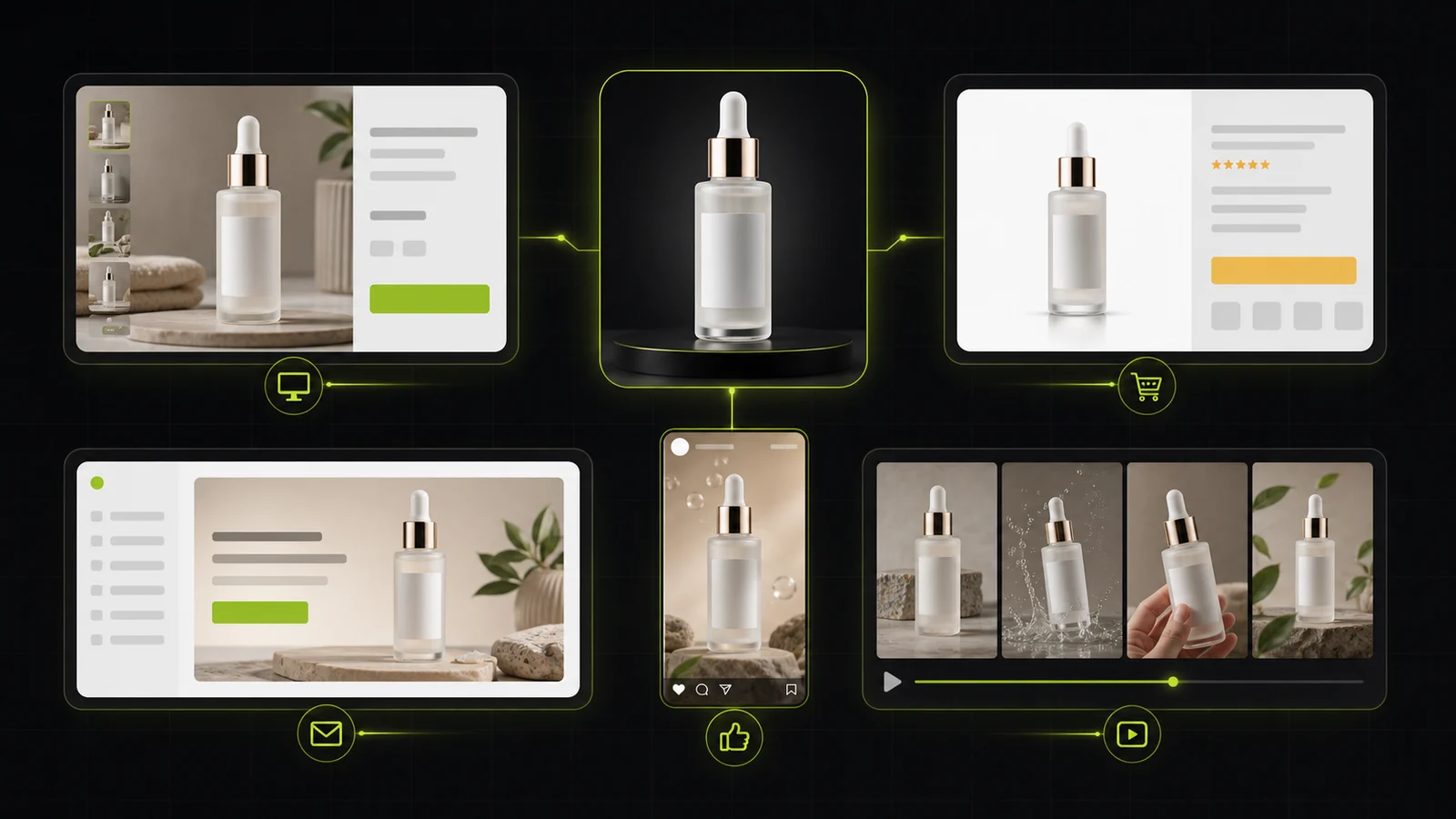
AI visual tools are changing that. The best platforms let you upload one product photo and generate marketplace-ready images, on-model shots, lifestyle scenes, and even video content — without studios, photographers, or reshoot delays.
Below you'll find a practical comparison of the best AI visual tools for ecommerce, covering what each tool does best, where it falls short, and how to choose the right one for your workflow.
Quick Comparison: 8 Best AI Visual Tools for Ecommerce at a Glance
Before diving into the details, here's a brief overview:
- ProductShot AI: the best all-around pick for ecommerce teams that need product-preserving image generation across white-background, studio, lifestyle, and ad formats.
- Photoroom: the most mature platform for fast product cleanup, mobile-first editing, and high-volume batch processing.
- Flair.ai: the creative team's choice with drag-and-drop scene canvas and deep art-direction controls.
- Pebblely: the easiest budget pick for solo founders and Etsy sellers who want fast lifestyle backgrounds.
- Botika: the fashion-specialist platform for on-model photography with AI plus human retouching.
- Huhu.ai: the virtual try-on specialist with AI ecommerce agent capabilities.
- Whatmore.ai: the shoppable video platform that turns product images into conversion-driving video content.
- Bandy.ai: the AI ecommerce agent that generates UGC-style ads through conversational prompts.
Now, let's take a closer look at each tool.
1. ProductShot AI — Best All-Around AI Visual Tool for Ecommerce
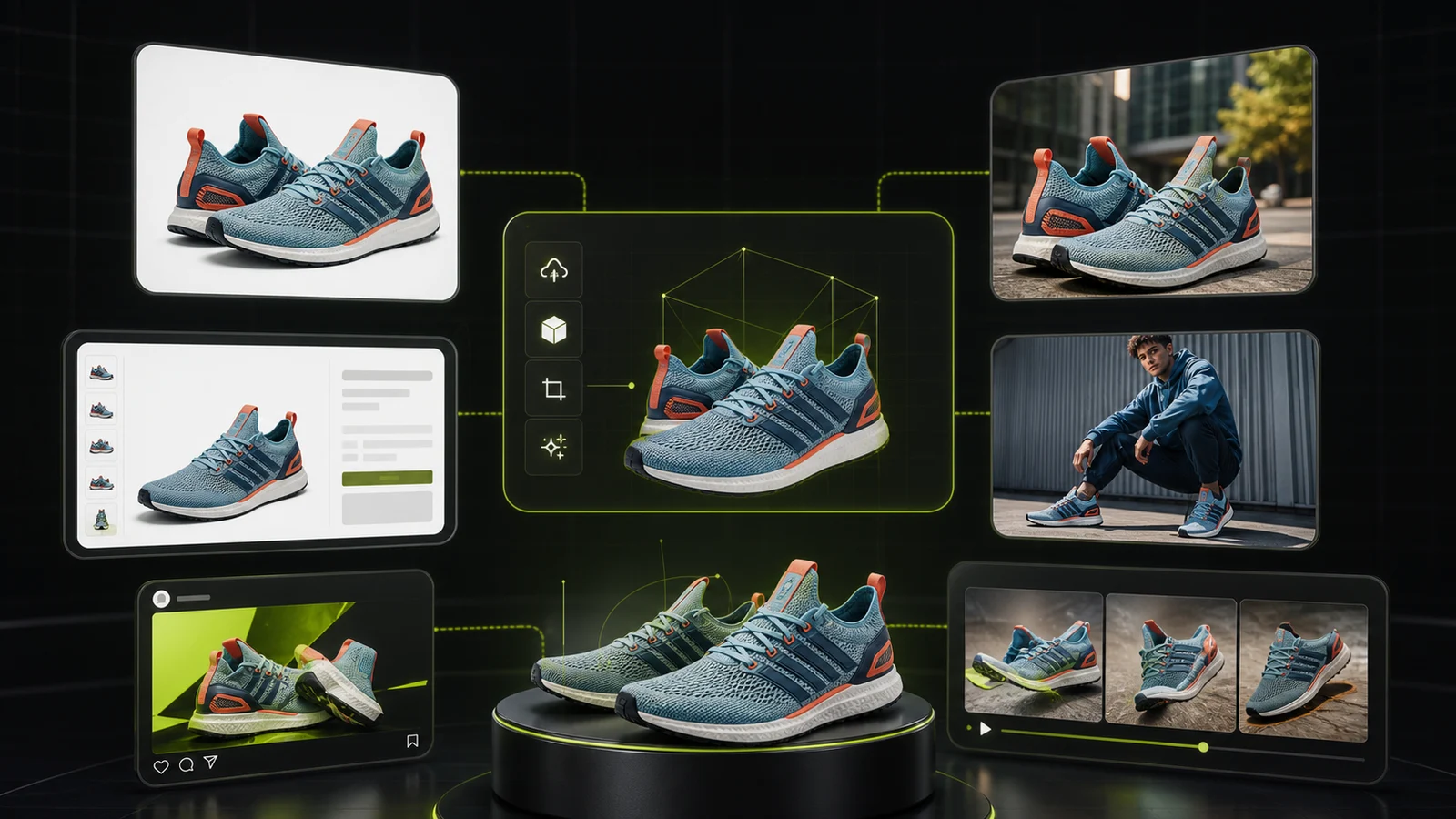
ProductShot AI is built around one core idea: lock the product, then generate the scene. You upload a single product photo, and the platform preserves your product's logo, shape, labels, packaging, color, material, and proportions while rebuilding the environment around it.
What makes ProductShot AI stand out is the combination of product fidelity and commerce-specific controls. Its Product Lock feature ensures SKU identity stays stable across every output. Quick scene templates — Ecommerce White Background, Premium Display, Lifestyle Real, Social Neon, and Natural Outdoor — let you generate channel-specific assets without writing prompts.
A unique lens-language system turns abstract composition into predictable, repeatable choices: Standard 50mm for natural perspective, Close-up 85mm for premium crops, Macro 100mm for texture and labels, Documentary 35mm for natural usage feel, Wide 24mm for scene context, Bokeh for soft background depth, and more.
Key Features
- Product Lock that preserves logo, shape, labels, packaging, color, and material across every output
- Quick scene templates: Ecommerce White BG, Premium Display, Lifestyle Real, Social Neon, Natural Outdoor
- Lens-language presets for predictable composition without prompts
- Scene, lighting, camera angle, and ratio controls with marketplace presets (Amazon, Shopify, Etsy)
- Reference-image inputs to steer brand mood and composition
- Before/after comparison workflow and reusable image history
- AI background editing, photo enhancement, and product image generation
Best For
- Ecommerce teams that need marketplace-compliant images with the product kept intact
- DTC brands running product launch campaigns that need multiple scene variations from one upload
- Agencies and teams that want consistent brand imagery across white-background, studio, lifestyle, and social formats
Pricing (checked June 2026)
- Annual Starter: $9.9/month for 800 credits
- Annual Premium: $19.9/month for 2,000 credits
- Annual Advanced: $49.9/month for 6,000 credits
- One-time packs available for flexible usage
- Paid tiers include commercial usage, HD export, and priority support
Pros
- Clearest product-preservation story in the category — SKU identity is locked before scenes are generated
- Concrete camera/lens/ratio controls instead of only prompt-based generation
- Built-in marketplace and campaign workflows for Amazon, Shopify, Etsy, and social
- One source image can produce 6+ output styles across different channels
Cons
- No mobile app; currently web-only
- Some modules still rolling out, including batch processing
2. Photoroom — Best for Fast Product Cleanup and High-Volume Processing
Photoroom is one of the most established AI visual tools, known for its speed, accessibility, and massive user base. It started with background removal and expanded into a full ecommerce editing platform.
Key Features
- AI background removal and product staging
- Batch processing for high-volume catalogs
- Mobile-first editing with iOS and Android apps
- API for enterprise automation
- Video templates for social content
Best For
- Sellers and small businesses that need fast, no-fuss product cleanup
- Mobile-first workflows for marketplace vendors
- Enterprise teams processing thousands of images through API
Pricing (checked June 2026)
- Free: limited AI tools, 250 exports/month
- Pro: from $7.50/month (annual)
- Higher tiers with better AI models and batch exports
- API pricing depends on call type
Pros
- Fastest and most accessible editing experience in the category
- Massive user base and brand recognition
- Strong mobile apps for on-the-go editing
- Enterprise-grade API with SOC2 certification
Cons
- Enhancement and product-fidelity controls are less deep than specialized tools
- Higher-quality AI models are gated above the entry tier
- Less art-direction control compared to canvas-style tools
3. Flair.ai — Best for Creative Teams That Need Art Direction
Flair.ai takes a different approach from one-click tools. It offers a drag-and-drop scene canvas where you can compose product imagery with full art-direction control — including 3D props, lighting, and reusable templates.
Key Features
- Drag-and-drop scene canvas for full composition control
- 3D prop library and custom scene building
- Reusable templates for brand consistency
- AI product videos and marketing ad generation
- Team collaboration tools
Best For
- Design-led brands and creative agencies
- Fashion, jewelry, and lifestyle brands where manual composition matters
- Teams that want collaborative workflows for campaign imagery
Pricing (checked June 2026)
- Free: $0
- Pro: $8/month
- Pro+: $26/month (commercial license, custom models)
- Scale Tier: $38/month (API early access, priority support)
- Enterprise: custom
Pros
- Best scene-control story in the category
- Strong collaboration features for teams
- Excellent for fashion, jewelry, and campaign imagery
Cons
- More complex than "upload and generate" tools
- Quotas are tighter than they first look — some generation modes cost more
- Limited mobile support
4. Pebblely — Best Budget Pick for Solo Founders and Etsy Sellers
Pebblely is a bootstrapped success story: an indie tool that reached 1 million signups in 7 months by solving one problem really well — turning product photos into lifestyle images, fast.
Key Features
- 100+ scene templates with custom prompting
- Automatic text extraction and preservation for labels and packaging
- Built-in aspect presets for Instagram, TikTok, Facebook ads
- Bulk generation and download
- High-resolution mode
Best For
- Solo founders and Etsy sellers who want fast, affordable product images
- Beauty, food, and beverage brands where label fidelity matters
- Non-designers who want polished results without a complex workflow
Pricing (checked June 2026)
- Lite: $9/month for 30 images
- Basic: $19/month for 200 images
- Pro: $39/month for 500 images
- Annual plans offer additional savings
Pros
- Extremely easy to use — no design skills needed
- Text-preservation is a real advantage for packaging-heavy products
- Very affordable compared to other tools
Cons
- Narrower workflow — mostly background-focused
- Less suited to enterprise or high-volume API automation
- Bulk generation is limited to ~25 products at a time
5. Botika — Best for Fashion Brands That Need On-Model Photography
Botika specializes in one specific vertical: turning flatlay or mannequin photos into realistic on-model images. It combines AI generation with human retouching to ensure fashion-grade quality.
Key Features
- AI model generation from flatlay and mannequin shots
- Diverse model library with multiple body types and ethnicities
- Human retouching workflow for quality assurance
- Shopify integration
- Short video generation for fashion content
Best For
- High-end fashion brands and large apparel retailers
- Teams that need AI-generated models with human-level quality
- Businesses that require diverse, inclusive model representation
Pricing (checked June 2026)
- Credit-based pricing with tiered plans
- Custom enterprise pricing for large catalogs
Pros
- Fashion-specialized AI trained on apparel data
- Human retouching ensures publication-ready quality
- Strong model diversity and inclusivity
- Proven track record with major fashion brands
Cons
- More expensive than general-purpose tools
- Narrower focus — not a full product photography platform
- Less suitable for non-fashion product categories
6. Huhu.ai — Best for Virtual Try-On and AI Ecommerce Agents
Huhu.ai combines virtual try-on technology with an AI ecommerce agent that can automatically generate product visuals from a URL. It is designed for cross-border ecommerce and fast-fashion brands.
Key Features
- AI virtual try-on for clothing and accessories
- Custom brand model creation
- AI ecommerce agent — input a product URL and get visuals automatically
- Shopify integration
- AI video generation for social content
Best For
- Cross-border ecommerce sellers and fast-fashion brands
- Teams that want automated visual generation from product URLs
- Businesses that need virtual try-on capabilities
Pricing (checked June 2026)
- Free plan with watermarked outputs
- Paid subscriptions start at $20/month
Pros
- Strong virtual try-on capabilities
- AI agent reduces manual work for visual creation
- Good fit for fast-fashion and cross-border ecommerce
Cons
- Less mature than established platforms for general product photography
- Agent-generated outputs may need manual QA
- Smaller user base and ecosystem
7. Whatmore.ai — Best for Shoppable Video Content
Whatmore.ai takes a different angle: instead of static images, it turns product photos into shoppable videos that embed directly into Shopify stores, driving conversions and increasing average order value.
Key Features
- AI-powered product video generation
- Embeddable shoppable video widgets for Shopify
- Conversion tracking and analytics
- Social media video templates
- Integration with Shopify product catalog
Best For
- Shopify store owners who want video content that drives sales
- DTC brands looking to increase conversion rates through video
- Teams that want to bridge content production and transaction
Pricing (checked June 2026)
- Custom pricing based on store size and video volume
- Free trial available
Pros
- Directly ties visual content to conversion metrics
- Shopify-native integration with embedded video widgets
- Proven ROI — claims 2.4x conversion rate improvement
Cons
- Focused on video, not static product photography
- Shopify-centric — less useful for other platforms
- Smaller ecosystem compared to broader visual tools
8. Bandy.ai — Best for Conversational AI Ad Generation
Bandy.ai positions itself as an "AI ecommerce creative agent" — you describe what you want in a chat interface, and it generates product images, UGC-style videos, AI voiceovers, and digital presenter content.
Key Features
- Conversational interface for image and video generation
- UGC-style ad creation with AI voiceovers
- Digital presenter/avatar video generation
- Multi-format output for social media platforms
- Amazon and TikTok marketplace optimization
Best For
- Cross-border sellers who need fast, high-volume ad creatives
- Social media marketers running TikTok and Amazon campaigns
- Teams that prefer a chat-based workflow over traditional editors
Pricing (checked June 2026)
- Pricing not publicly disclosed
- Early-stage product with evolving feature set
Pros
- Conversational workflow is fast and intuitive
- Combines images, video, and voice in one platform
- Good fit for social-media-heavy marketing strategies
Cons
- Early-stage product — features and quality are still evolving
- Less control over output compared to dedicated image editors
- Limited track record and public user reviews
How to Choose the Right AI Visual Tool
1. What's Your Primary Need?
- Product-preserving catalog images. ProductShot AI is the strongest choice with its Product Lock technology.
- Fast cleanup and background removal. Photoroom offers the quickest, most accessible experience.
- Creative art direction. Flair.ai gives you the most control over scene composition.
- Lifestyle backgrounds on a budget. Pebblely is the easiest and most affordable option.
- Fashion on-model photography. Botika combines AI with human retouching for fashion-grade quality.
- Virtual try-on. Huhu.ai specializes in this capability.
- Shoppable video. Whatmore.ai turns product images into conversion-driving video content.
- Conversational ad creation. Bandy.ai offers a chat-based workflow for UGC-style ads.
2. How Many SKUs Are You Processing?
- Under 100 SKUs. Pebblely, ProductShot AI, or Photoroom in the browser will be fine.
- Hundreds to thousands of SKUs. Look for APIs, batch processing, and workflow builders. ProductShot AI's credit-based system, Photoroom's batch mode, and Botika's enterprise workflows are built for this scale.
- Tens of thousands or more. You need enterprise API and custom workflows. Photoroom's enterprise plan and Botika's custom pricing support this level.
3. Do You Need Product Preservation?
If your products have specific logos, labels, packaging text, or color accuracy requirements, this is the most important factor. ProductShot AI's Product Lock is the strongest answer, preserving logo, shape, labels, packaging, color, and material across every output. Botika's human retouching also ensures product accuracy for fashion items.
4. Static Images or Video?
- Static images. ProductShot AI, Photoroom, Flair.ai, Pebblely, and Botika all cover this.
- Video content. Whatmore.ai, Bandy.ai, Huhu.ai, and Flair.ai offer video generation.
- Both. Flair.ai and Huhu.ai cover both static and video, but for product-preserving static images plus video, consider pairing ProductShot AI with a dedicated video tool.
5. Budget and Team Size
- Solo founder, tight budget. Pebblely ($9/month) or ProductShot AI's Starter plan ($9.9/month) are the most affordable entry points.
- Small team. Photoroom Pro or Flair.ai Pro offer good value for teams of 2-5.
- Enterprise. Photoroom, Botika, and ProductShot AI's Advanced tier support larger operations.
The Evolution of AI Visual Tools: From Single Tools to Business Engines
The AI visual tool landscape is evolving fast. The trajectory is clear: single-purpose tools (background removal) → scene generation (product placement/model photos) → automated workflows (API/batch processing) → business closure (video/agent/direct conversion).
For ecommerce teams choosing a tool today, the question is not just "which tool has the best AI?" It's: which tool fits my workflow, preserves my product identity, and scales with my business?
ProductShot AI answers that question by putting product fidelity first — locking SKU identity before generating scenes — while covering the full spectrum from white-background catalog shots to lifestyle scenes and social ad creatives. That combination of control, flexibility, and commerce-specific workflow makes it the strongest all-around choice for ecommerce teams in 2026.